Showing posts with label Computer tips & tricks.. Show all posts
Monday, 24 June 2013
Crack PDF Password
Hello Everyone! Today I have come up with yet another trick which would be totally clear from the Headline above saying “Crack PDF Password”. Have you got a PDF file which you are not able to open as it is protected with a password? It is very disheartening when you get an amazing file after some research and you find it locked or password-protected. The same happened with me last week. So, I searched for the trick to crack PDF password which I am sharing with you.
Saturday, 22 June 2013
Make your PC welcome you with its voice!! (No downloads required)
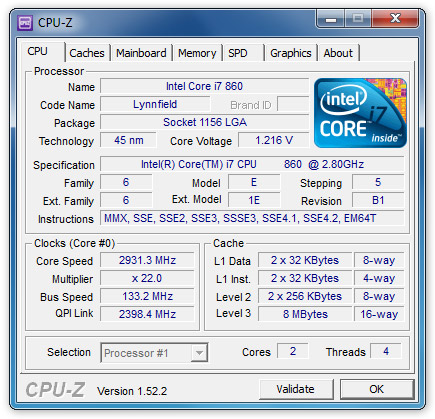
Know your hardware with apps from CPUID !!
Fix .dll not found error for free!
Friday, 21 June 2013
How To Partition Hard Drive Without Losing Data
By the time using your computer, you might have wished to partition your hard drive. Perhaps, the reason might be to dual boot or secure some separate partition for backing up old or important data. You might be guessing that I would suggest you to download some tools. But it’s not like that, I am not going to suggest you those old tricks that says to back-up your data and place it in separate storage device and partition it again and again it to one of your partition.
Speed Up Access To Data With Disk Defragmenter
If you suffer from a slow computer that crashes or freezes then you can use a free computer maintenance tool like Microsoft Disk Defragmenter that will not only speed up access to data but also speed up your computer in general.
How to speed up your PC
Before I learned the information I now know about PCs, my computers all had one thing in common; they were slow and self destructive. Being an uninformed PC user, I made many common computer maintenance mistakes as it was not uncommon for my computers to periodically crash or for them to experience long boot times.
I thought it was because my computer was out-of-date and I because I didn’t have expensive hardware and software. Little did I know, however, that there are many things you can do to speed up your PC.
If you can relate, here are some ways to make your computer faster…
Saturday, 15 June 2013
How to block a Website in my PC?
Using this trick you can block a website in your PC.By this trick, Block facebook ,block twitter in your PC .after that the blocked website can’t access from any browser.so that it is a safest way for blocking Adult sites,and other unwanted sites.No software is required for this .Only some steps.Follow below steps to block unwanted sites.
Simple Trick-How to make Windows 7 Genuine using Command Prompt
Hi friends. today im sharing an important trick for all.
we all know that everyone can't buy a genuinewindows 7, because cost is too high.
Lots of Windows 7 users have experienced theerror message that "Windows 7 is not genuine".
This error message comes if you usepirated or OEM versions of Windows 7.
If windows 7 is not genuine, even you can't change the background wallpaper or any other display related option on your PC. this trick is for those whose windows 7 is not genuine.
we all know that everyone can't buy a genuine
Lots of Windows 7 users have experienced the
This error message comes if you use
If windows 7 is not genuine, even you can't change the background wallpaper or any other display related option on your PC. this trick is for those whose windows 7 is not genuine.
Cool Simple Trick to Clean your RAM without any software
Hi. Friends as we all know what an important role RAM plays in our computer system.
And now I am going to show you something very easy to keep your RAM free. It’s all few lines of code which can be used with notepad.
RAM decides the speed of your computer, there are many software available in internet to keep your RAM free, but how much of these software supports to keep your RAM Free?
Friday, 14 June 2013
Following are the program name and thier Run commands.
Subscribe to:
Posts (Atom)